> Source: [sk120453](https://support.checkpoint.com/results/sk/sk120453)
# sk120453 - Reached End of Support - Quantum Smart-1 525, 5050, and 5150
| Property | Value |
|----------|-------|
| Solution ID | sk120453 |
| Date Created | 2017-09-12 |
| Last Modified | 2026-04-17 |
| Technical Level | General |
| Products | Security Management Server |
| Versions | R82.10, R82, R81.20, R82.20 |
| OS | Gaia |
| Platform | Smart-1 |
## Solution
|-------------------------------------------------------------------------------------------------------------------------------------------------------------------------------------------------------------------------|
|  Smart-1 525 model reached the End of Support (see [Support Life Cycle Policy](https://www.checkpoint.com/support-services/support-life-cycle-policy/)). |
**Table of Contents**
* Overview
* Key Features
* Downloads
* Enhancements and New Features
* Documentation
* Known Limitations
* Revision History
Visit [Check Point CheckMates Community](https://community.checkpoint.com) to ask questions or start a discussion and get our experts' assistance.
See [Support Life Cycle Policy](https://www.checkpoint.com/support-services/support-life-cycle-policy/) for End-of-Support dates and successor appliance series.
Smart-1 525 , 5050 and 5150 Appliances Overview {#Overview}
-----------------------------------------------------------
|----------------------------------------------------------------------------------------------------------------------------------------------------------------------------------------------------------------------------------------------------------------------------------------------------------------------------------------------------------------------------------------------------------------------------------------------------------------------------------------------------------------------------------------------------------------------------------------------------------------------------------------------------------------------------------------------------------------------------------------------------------------------------------------------------------------------------------------------------------------------------------------------------------------------------------------------------------------------------------------------------------------------------------------------------------------------------------------------------------------------------------------------------------------------------------------------------|---------------------------------------------------------------------------------------------------------------------------------------------------------------------------------------------------------------|
| Smart-1 platforms welcome the 5th generation of Cyber Security by doubling management capacity and boosting performance, increasing security efficiency. Engineered to handle the toughest of Cyber Security conditions, it allows you to mitigate risks and scale with ease. Our Smart-1 appliances are optimized for high-performance gateways from mid to large size enterprise security networks. Empowering Check Point Infinity architecture, the new Smart-1 Management appliances deliver consolidation and security across any network, cloud and mobile environment with full threat visibility and control. The new Smart-1 appliances of the 5th generation are the gold standard platform for consolidated Security Management including policy, logs and events in a single box. The Smart-1 525, Smart-1 5050 and Smart-1 5150 appliances feature up to 8x the performance boost and doubling capacity compared to their predecessors Smart-1 225, Smart-1 3050, and Smart-1 3150 appliances.
For more information, see the [Smart-1 Product Page](https://supportcenter.checkpoint.com/supportcenter/portal?eventSubmit_doShowproductpage&productTab=overview&product=186). | [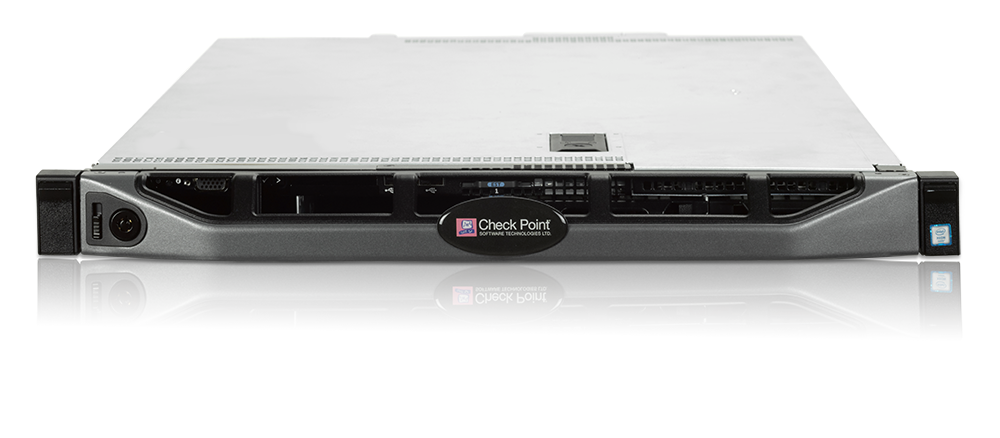](https://sc1.checkpoint.com/sc/SolutionsStatics/sk120453/Smart-1-525-front-angle_PPT1802180043.png) |
| Smart-1 platforms welcome the 5th generation of Cyber Security by doubling management capacity and boosting performance, increasing security efficiency. Engineered to handle the toughest of Cyber Security conditions, it allows you to mitigate risks and scale with ease. Our Smart-1 appliances are optimized for high-performance gateways from mid to large size enterprise security networks. Empowering Check Point Infinity architecture, the new Smart-1 Management appliances deliver consolidation and security across any network, cloud and mobile environment with full threat visibility and control. The new Smart-1 appliances of the 5th generation are the gold standard platform for consolidated Security Management including policy, logs and events in a single box. The Smart-1 525, Smart-1 5050 and Smart-1 5150 appliances feature up to 8x the performance boost and doubling capacity compared to their predecessors Smart-1 225, Smart-1 3050, and Smart-1 3150 appliances.
For more information, see the [Smart-1 Product Page](https://supportcenter.checkpoint.com/supportcenter/portal?eventSubmit_doShowproductpage&productTab=overview&product=186). | [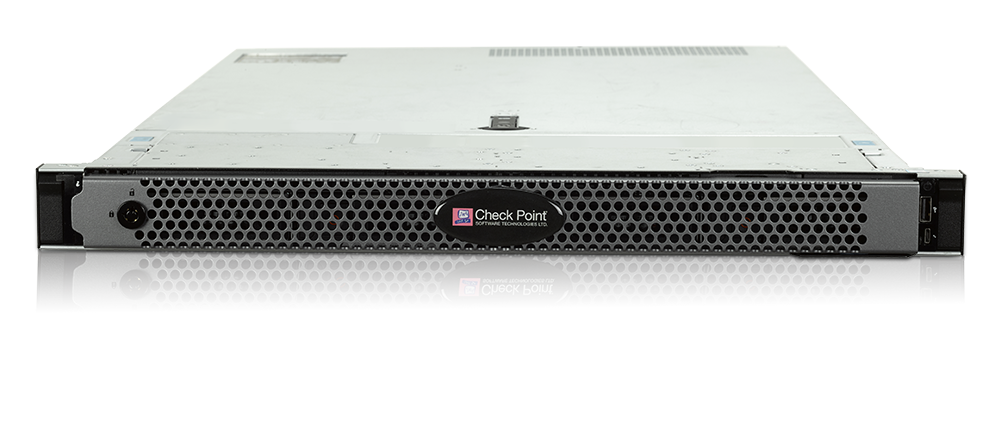](https://sc1.checkpoint.com/sc/SolutionsStatics/sk120453/Smart-1-5050-front-angle_PPT1802180044.png) |
| Smart-1 platforms welcome the 5th generation of Cyber Security by doubling management capacity and boosting performance, increasing security efficiency. Engineered to handle the toughest of Cyber Security conditions, it allows you to mitigate risks and scale with ease. Our Smart-1 appliances are optimized for high-performance gateways from mid to large size enterprise security networks. Empowering Check Point Infinity architecture, the new Smart-1 Management appliances deliver consolidation and security across any network, cloud and mobile environment with full threat visibility and control. The new Smart-1 appliances of the 5th generation are the gold standard platform for consolidated Security Management including policy, logs and events in a single box. The Smart-1 525, Smart-1 5050 and Smart-1 5150 appliances feature up to 8x the performance boost and doubling capacity compared to their predecessors Smart-1 225, Smart-1 3050, and Smart-1 3150 appliances.
For more information, see the [Smart-1 Product Page](https://supportcenter.checkpoint.com/supportcenter/portal?eventSubmit_doShowproductpage&productTab=overview&product=186). | [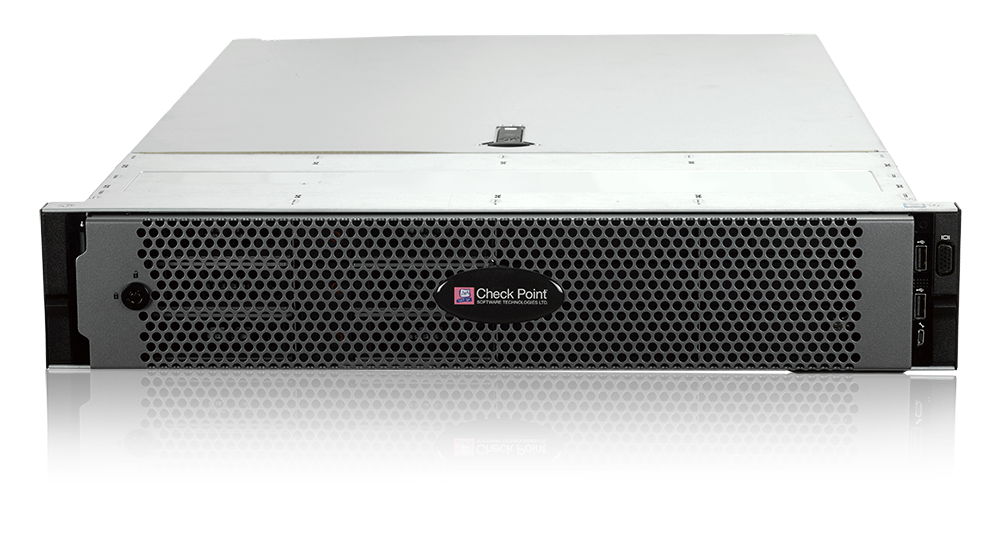](https://sc1.checkpoint.com/sc/SolutionsStatics/sk120453/Smart-1-5150-front-angle_PPT1802180044.png) |
Key Features {#Key Features}
----------------------------
* Up to 2x log collection with up to 100k logs/sec ingestion leading the industry with instantaneous search results
* Up to 5x faster policy installation
* Up to 8x faster report generation
* Hardened and optimized HW and OS with the latest Gaia R80.10
* Modular platform supporting up to 24 cores, 256GB RAM and 48TB of storage for any deployment
* Complete feature and tool set including full Threat visibility, best practices and compliance, work flow, Multi-Domain management and automation
* Wide variety of storage and network interfaces, including copper \& fiber 1GbE and 10GbE interfaces
* Manage up to 25, 50, and 150+ Security Gateways with Smart-1 525 / 5050 / 5150 respectively
Smart-1 525 , 5050 and 5150 Downloads {#Downloads}
--------------------------------------------------
**Note:** To download this package you will need to have a [Software Subscription or Active Support plan](http://www.checkpoint.com/services/techsupport/index.html).
|----------------------------------------------------------------------------------------------------|----------------------------------------------------------------------------------------------------------------------------------------------------------------------------------------------------------------------------------------------------------------------------------------------------------------------------------|
| Download Package | Link |
| Check Point **R82** Security Management Clean Installation Image for Smart-1 5050 and Smart-1 5150 | See [sk181127](https://support.checkpoint.com/results/sk/sk181127) |
| Check Point **R81.10** Security Management Clean Installation Image | See [sk170416](https://supportcenter.checkpoint.com/supportcenter/portal?eventSubmit_doGoviewsolutiondetails=&solutionid=sk170416) |
| Check Point **R81** Security Management Clean Installation Image | See [sk166715](https://supportcenter.checkpoint.com/supportcenter/portal?eventSubmit_doGoviewsolutiondetails=&solutionid=sk166715) |
| Check Point **R80.40** Security Management Clean Installation Image | See [sk160736](https://supportcenter.checkpoint.com/supportcenter/portal?eventSubmit_doGoviewsolutiondetails=&solutionid=sk160736) |
| Check Point **R80.30** Security Management Clean Installation Image | See [sk144293](https://supportcenter.checkpoint.com/supportcenter/portal?eventSubmit_doGoviewsolutiondetails=&solutionid=sk144293) |
| Check Point **R80.20** Security Management Clean Installation Image | See [sk122485](https://supportcenter.checkpoint.com/supportcenter/portal?eventSubmit_doGoviewsolutiondetails=&solutionid=sk122485) |
| Check Point **R80.10** Image for Smart-1 525, 5050 and 5150 Appliances | [](https://supportcenter.checkpoint.com/supportcenter/portal/role/supportcenterUser/page/default.psml/media-type/html?action=portlets.DCFileAction&eventSubmit_doGetdcdetails=&fileid=61367) (ISO) |
* Minimal R80.10 Jumbo HFA Take that can be installed on Smart-1 525, 5050 and 5150 Appliances is Take 85.
For more information, refer to [sk116380](https://supportcenter.checkpoint.com/supportcenter/portal?eventSubmit_doGoviewsolutiondetails=&solutionid=sk116380).
* Multi-Domain Management Server and Multi-Domain Log Server can be installed only on Smart-1 5050 and 5150.
Enhancements and New Features {#Enhancements}
---------------------------------------------
|-------------|----------------------------------------------------------------------------------------------------------------------------------------------------------------------------------------------------------------------------------------------------------------------------------|
| ID | Description |
| MGMTAPP-123 | **NEW:** Added support for LOM cards. For more information, refer to [sk122914](https://supportcenter.checkpoint.com/supportcenter/portal?eventSubmit_doGoviewsolutiondetails=&solutionid=sk122914). |
| PMTR-2597 | For improved policy installation performance when installing policy on multiple targets, install the [R80.10 Jumbo Hotfix Accumulator](https://supportcenter.checkpoint.com/supportcenter/portal?eventSubmit_doGoviewsolutiondetails=&solutionid=sk116380) *Take 85* and higher. |
| PMTR-3681 | For an improved indexing rate of R80.10 logs, install the [R80.10 Jumbo Hotfix Accumulator](https://supportcenter.checkpoint.com/supportcenter/portal?eventSubmit_doGoviewsolutiondetails=&solutionid=sk116380) *Take 85* and higher. |
Smart-1 525, 5050, and 5150 Documentation {#Documentation}
----------------------------------------------------------
|-------------------------------------------------------------------------------------------------------------------------------------------------------------------------------|
| Quick Start Guides |
| [Smart-1 525/5050/5150 Getting Started Guide (English)](https://sc1.checkpoint.com/documents/Smart1_525_5050_5150_GSG/English/html_frameset.htm) |
| [Smart-1 525/5050/5150 Getting Started Guide (Spanish)](https://sc1.checkpoint.com/documents/Smart1_525_5050_5150_GSG/Spanish/html_frameset.htm) |
| [Smart-1 525/5050/5150 Getting Started Guide (Russian)](https://sc1.checkpoint.com/documents/Smart1_525_5050_5150_GSG/Russian/html_frameset.htm) |
| [Smart-1 525 Quick Start Guide](https://sc1.checkpoint.com/documents/Appliances/PDF/CP_Smart-1_525_QSG.pdf) |
| [Smart-1 5050 Quick Start Guide](https://sc1.checkpoint.com/documents/Appliances/PDF/CP_Smart-1_5050_QSG.pdf) |
| [Smart-1 5150 Quick Start Guide](https://sc1.checkpoint.com/documents/Appliances/PDF/CP_Smart-1_5150_QSG.pdf) |
| Installation Guides |
| [Smart-1 525/5050 Installing the Telescoping Rails](https://sc1.checkpoint.com/documents/Appliances/PDF/CP_Smart-1_525_5050_TelescopingRails.pdf) |
| [Smart-1 5150 Installing the Telescoping Rails](https://sc1.checkpoint.com/documents/Appliances/PDF/CP_Smart-1_5150_TelescopingRails.pdf) |
| [Smart-1 525/5050/5150 Installing and Removing Storage Devices](https://sc1.checkpoint.com/documents/Appliances/PDF/CP_Smart-1_525_5050_5150_Replacing_Storage_Devices.pdf) |
| [Smart-1 525/5050/5150 Installing and Removing Line Cards](https://sc1.checkpoint.com/documents/Appliances/PDF/CP_Smart-1_525_5050_5150_ReplacingLineCards.pdf) |
| [Smart-1 525/5050/5150 Installing and Removing Memory](https://sc1.checkpoint.com/documents/Appliances/PDF/CP_Smart-1_525_5050_5150_ReplacingRAM.pdf) |
| [Smart-1 525/5050/5150 Installing and Removing AC PSU](https://sc1.checkpoint.com/documents/Appliances/PDF/CP_Smart-1_525_5050_5150_Replacing_AC_PSU.pdf) |
| [Smart-1 5050/5150 Installing and Removing DC PSU](https://sc1.checkpoint.com/documents/Appliances/PDF/CP_Smart-1_5050_5150_Replacing_DC_PSU.pdf) |
| Administration Documentation |
| [Smart-1 525/5050/5150 RAID Administration Guide](https://sc1.checkpoint.com/documents/Appliances/PDF/CP_Smart-1_525_5050_5150_RAID_AdminGuide.pdf) |
| [Smart-1 525/5050/5150 Appliances Replacing Transceivers](https://sc1.checkpoint.com/documents/Appliances/PDF/CP_Smart-1_525_5050_5150_Appliances_Replacing_Transceivers.pdf) |
| [Smart-1 5050/5150 Installing and Removing a SAN Card](https://sc1.checkpoint.com/documents/Appliances/PDF/CP_Smart-1_5050_5150_Installing_SAN_Card.pdf) |
| Additional Documentation |
| [R80.10 Installation and Upgrade Guide for Gaia](https://sc1.checkpoint.com/documents/R80.10/WebAdminGuides/EN/CP_R80.10_Installation_and_Upgrade_Guide/html_frameset.htm) |
Known Limitations {#Known Limitations}
--------------------------------------
|------------|-------------------------------------------------------------------------------------------------------------------------------------------------------------|
| ID | Symptoms |
| GAIA-1274 | Post-installation reboot is stuck while the ISOmorphic USB is still plugged in and OS cannot be loaded. * Workaround: remove the USB and reboot the machine |
| MGMTAPP-94 | CD/DVD installation is not supported. |
| GAIA-1222 | For Smart-1 5050 / 5150 warm reboot using the Ctrl+C keystroke is required to complete RAID synchronization. |
Revision History {#Revision History}
------------------------------------
Show / Hide the revision history
|-------------|---------------------------------------------------------------------------|
| Date | Description |
| 05 Oct 2025 | Updated documentation links |
| 22 Oct 2024 | Added support for R82 |
| 04 May 2023 | Updated documentation links |
| 15 Jul 2021 | Added support for R81.10 |
| 10 Nov 2020 | Added support for R81 |
| 13 Sep 2020 | Added support for LOM cards |
| 30 Apr 2020 | Added support for SAN cards on Smart-1 5050 / 5150 |
| 17 Feb 2020 | Added support for R80.40 |
| 14 Nov 2019 | Added the "Smart-1 5050/5150 Installing and Removing a SAN Card" guide |
| 23 May 2019 | Added support for R80.30 |
| 01 Jan 2019 | Added link to R80.20 Security Management Clean Installation Image |
| 11 Oct 2018 | Added Smart-1 525/5050/5150 Getting Started Guides in Spanish and Russian |
| 12 Jul 2018 | Added GAIA-1004 and MGMTAPP-123 to Known Limitations |
| 13 Mar 2018 | Added the Enhancements section |
| 15 Feb 2018 | First release of this article |
---
# Agent Instructions
This content is from the Check Point Support Center (https://support.checkpoint.com), the official knowledge base for Check Point cybersecurity products.
## Navigating This Knowledge Base
- **Complete index**: [llms.txt](https://support.checkpoint.com/llms.txt)
- **All SK articles**: [SecureKnowledge Sitemap](https://support.checkpoint.com/sitemaps/secureknowledge-sitemap-index.xml)
- **SK article URL pattern**: `https://support.checkpoint.com/results/sk/{skId}`
- **Markdown responses**: AI bot User-Agents automatically receive `text/markdown` content